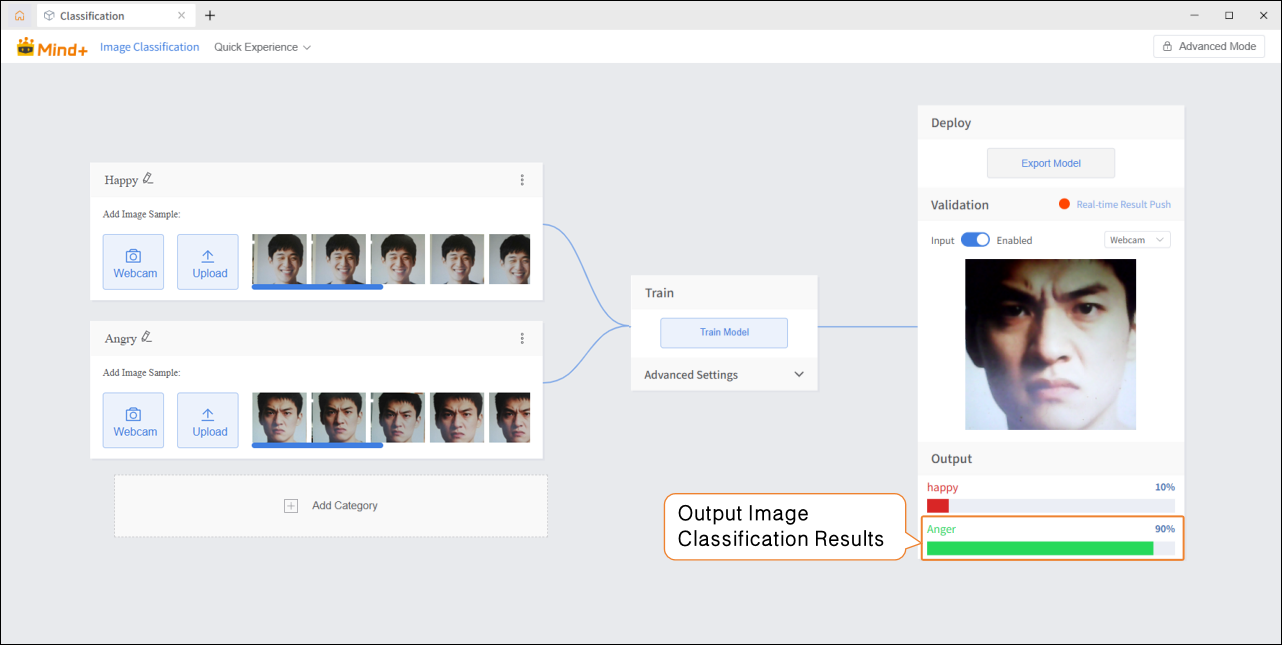
4.1.2 Quick Experience
1. Quick Preview
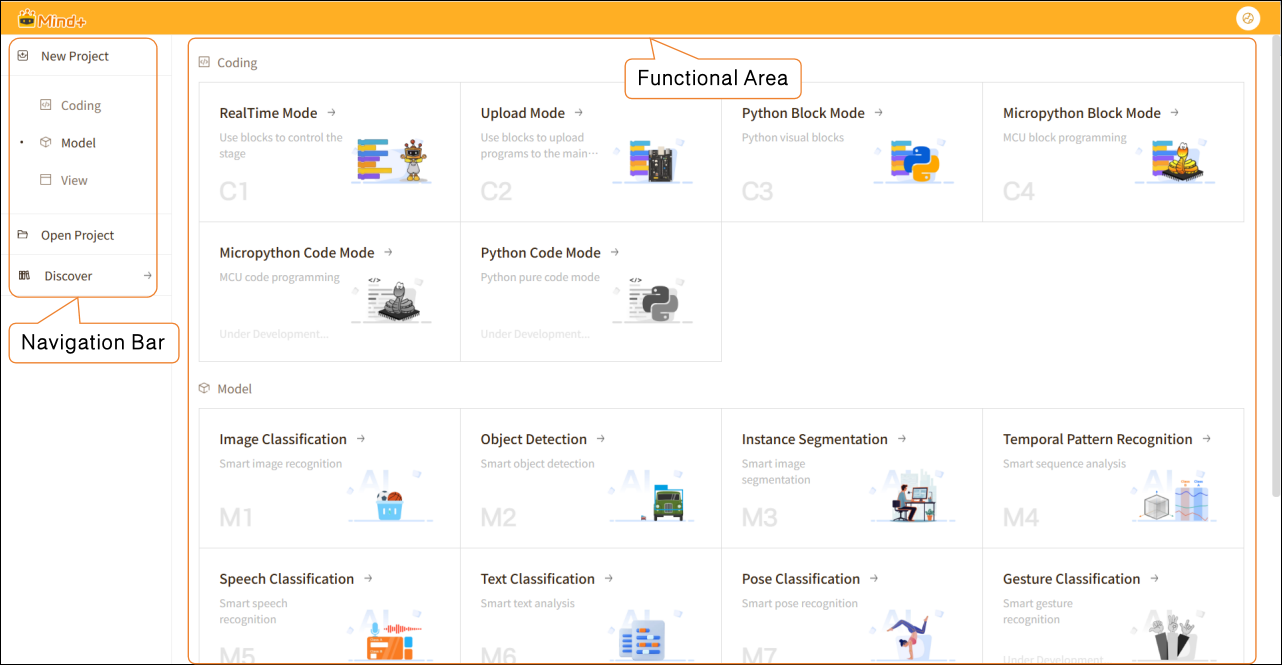
The new version of the Mind+ main interface adopts a left-side navigation bar + right-side functional area layout, providing clear partitioning and intuitive operation, which allows users to quickly create and manage projects. The overall design is clean and straightforward, mainly using a card-style display, with all functional entrances clearly visible.
Interface Features:
- Card-Style Layout: Each functional module is displayed independently, accompanied by icons and brief descriptions, making it easy to understand at a glance.
- Visual Icons: Clear and intuitive icons help users quickly grasp the purpose of each function.
- Clear Categorization: Panels for programming, model training, and data visualization are distinctly separated, allowing users to quickly select the desired function.
2. Operation Example
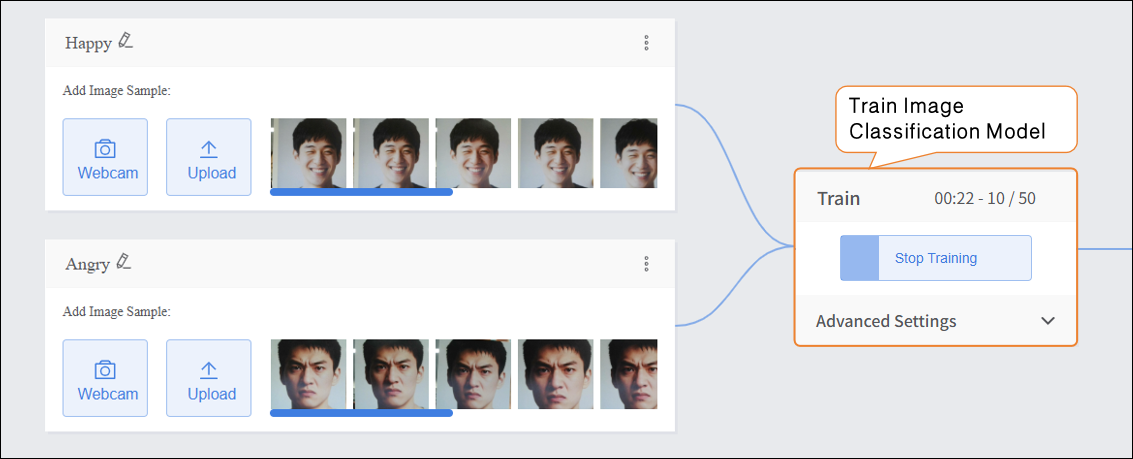
The example operation uses Image Classification as a case study to demonstrate the basic workflow of Model training, helping users quickly get started.
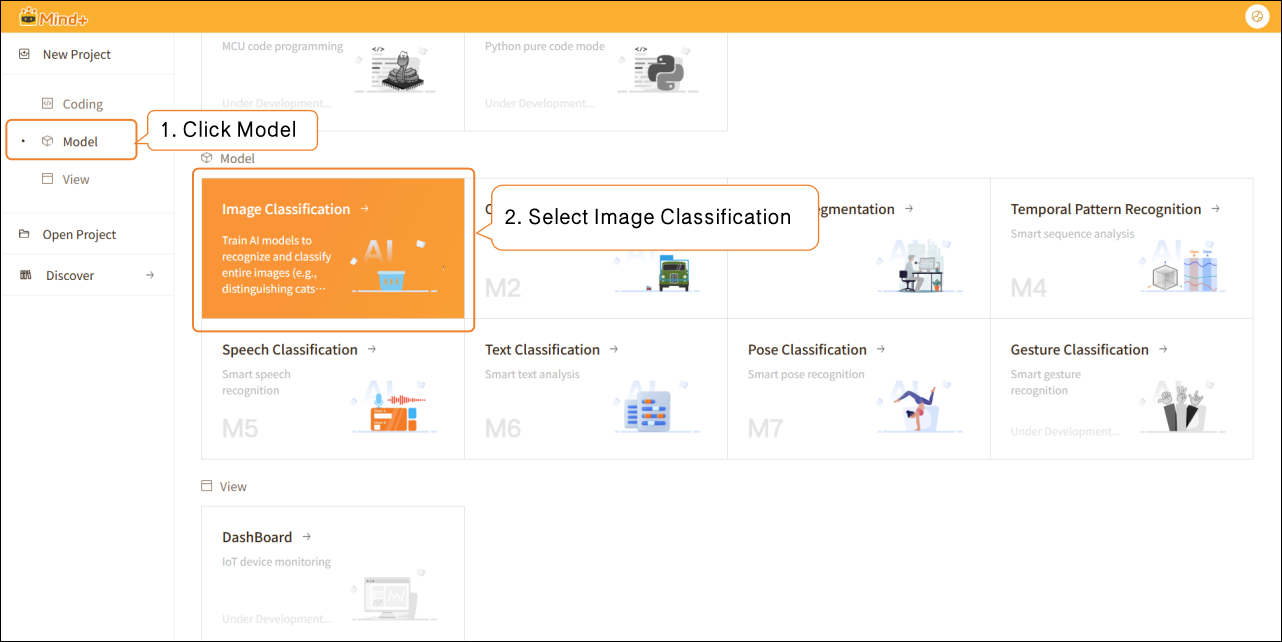
- Create New Project
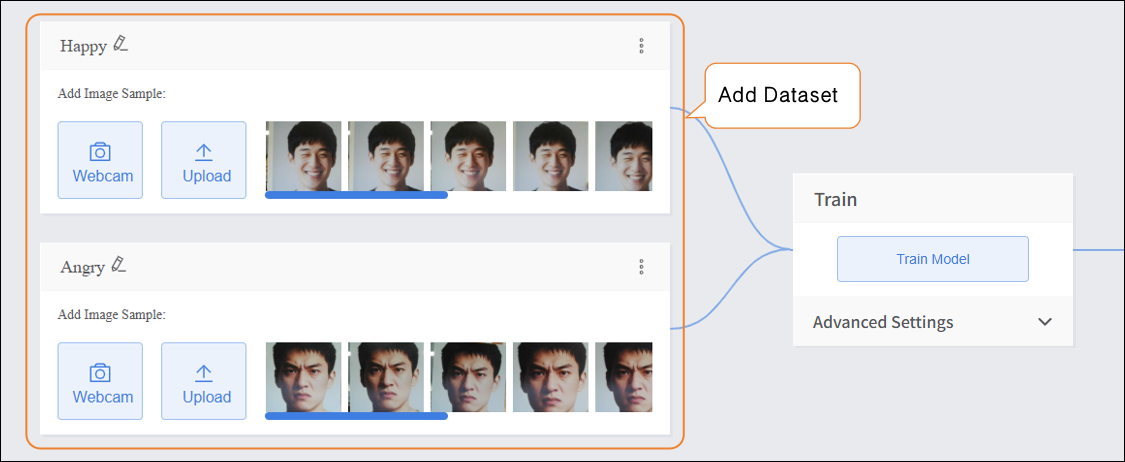
- Add Dataset
- Train Model
- Model Validation