3.2 Upload Mode
Upload mode is an operating mode in which the program is written directly to a hardware device (such as the micro:bit, UNIHIKER K10, Arduino Uno, or other microcontrollers). In this mode, the program does not rely on real-time execution but is stored in the hardware, allowing the device to operate independently. Even if the device is disconnected from the computer, the program will continue to run.
Features
- Program runs independently: Once uploaded, the program is stored within the hardware, allowing the device to operate offline.
- No real-time connection required: It runs without needing a constant connection to a computer, making it ideal for presentations or projects that run continuously.
- Supports a variety of hardware: Compatible with devices such as the micro:bit, UNIHIKER K10, and Arduino Uno.
- High code execution efficiency: In upload mode, the program runs directly on the device, resulting in faster response times.
Understanding the Interface
Once you enter upload mode, you will see the following screen.
The interface can be divided into seven areas: the menu bar, settings, modules, the extension area, the programming area, the code display area, and the serial monitor.
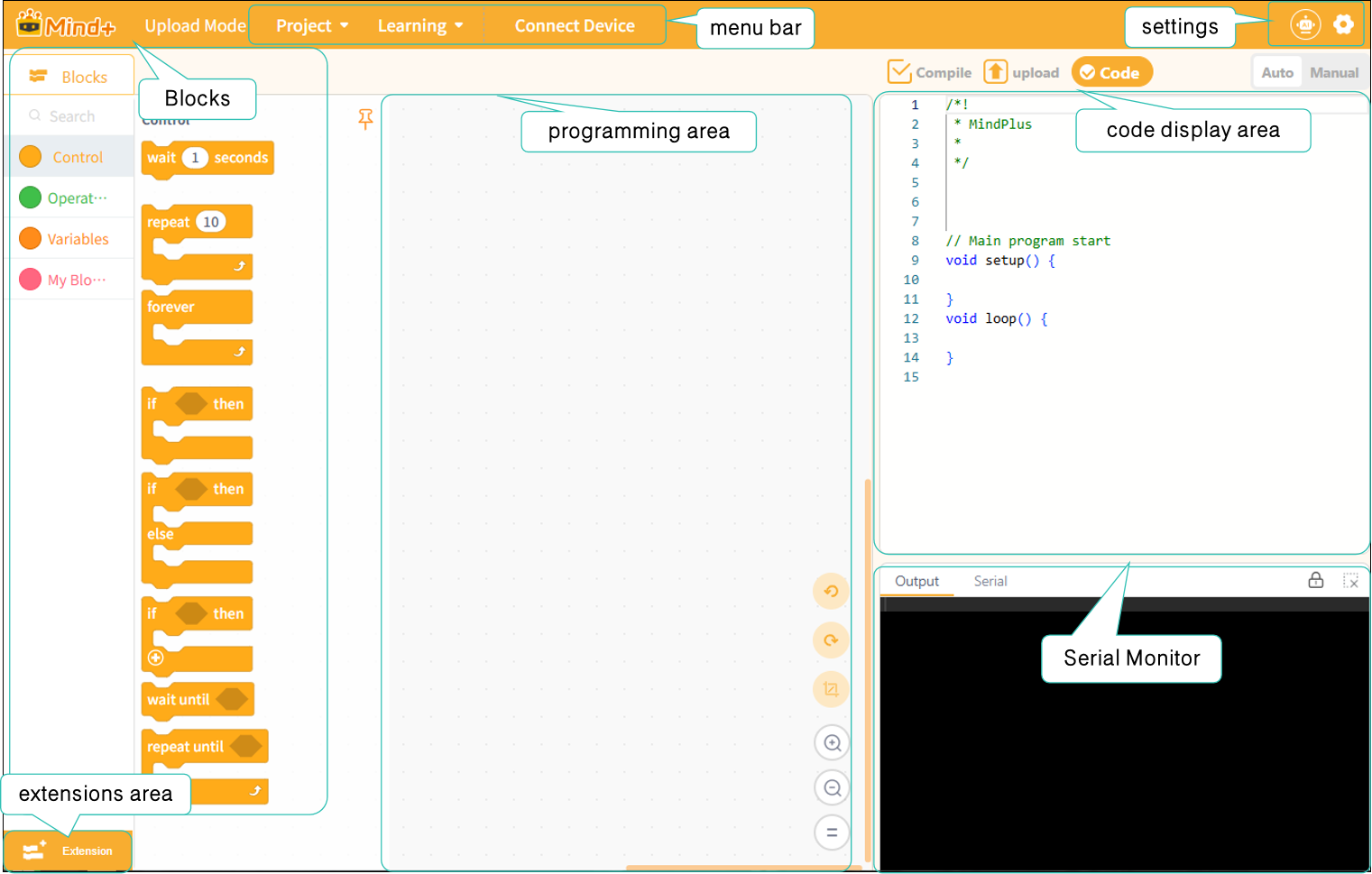
For a detailed description of each section's features, click here to jump to that section.
| Menu Bar | Settings | Functional Areas-Blocks | Extension Area |
|---|---|---|---|
| Programming Area | Code Display Area | Serial Monitor |
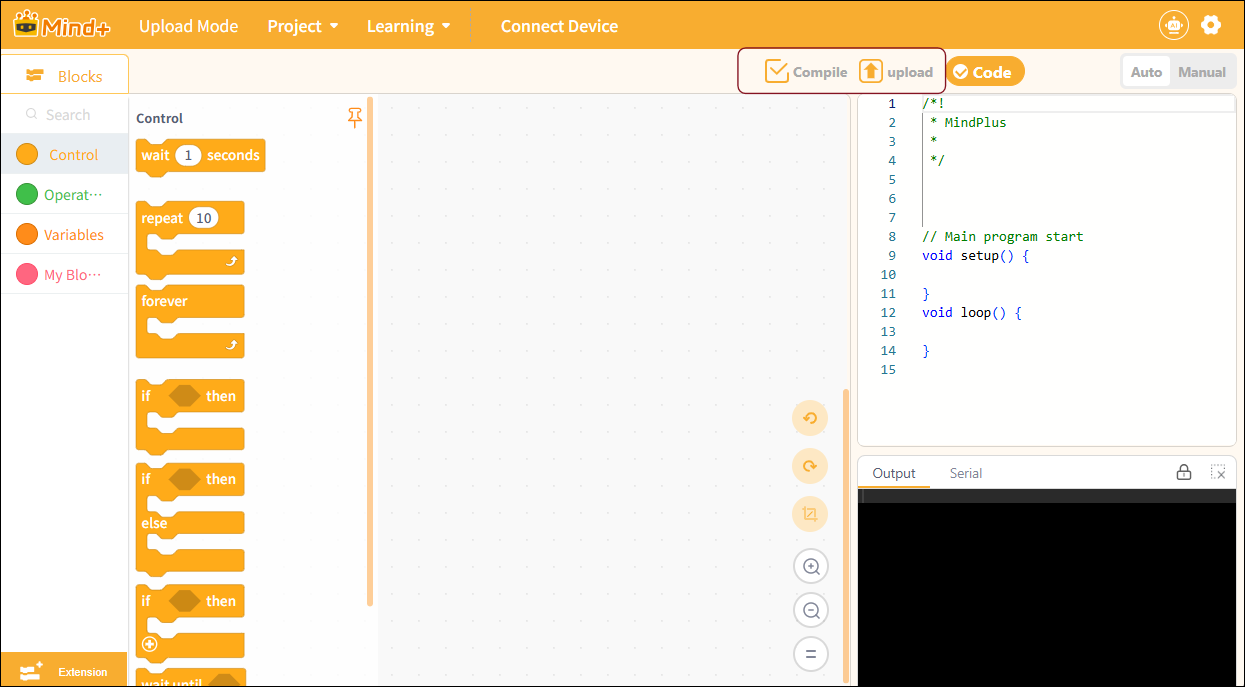
Before we look at the upload interface, we need to understand two very important buttons: “Compile Only” and “Compile and Upload.” Located in the upper-left corner of the code display area, these buttons control the program’s compilation and upload process—a critical step before the program runs.
| Button Name | Feature Description | Applicable Scenarios |
|---|---|---|
| Compile | Perform a syntax check on the program code and generate an executable file, but do not upload it to the main control board. | Used to verify that the program is correct and compiles successfully, making it easier to debug and modify the code. |
| upload | After the compilation and verification are complete, the generated executable program is automatically uploaded to the main control board for execution. | Once the program has been verified, the code is flashed onto the device to enable offline execution. |
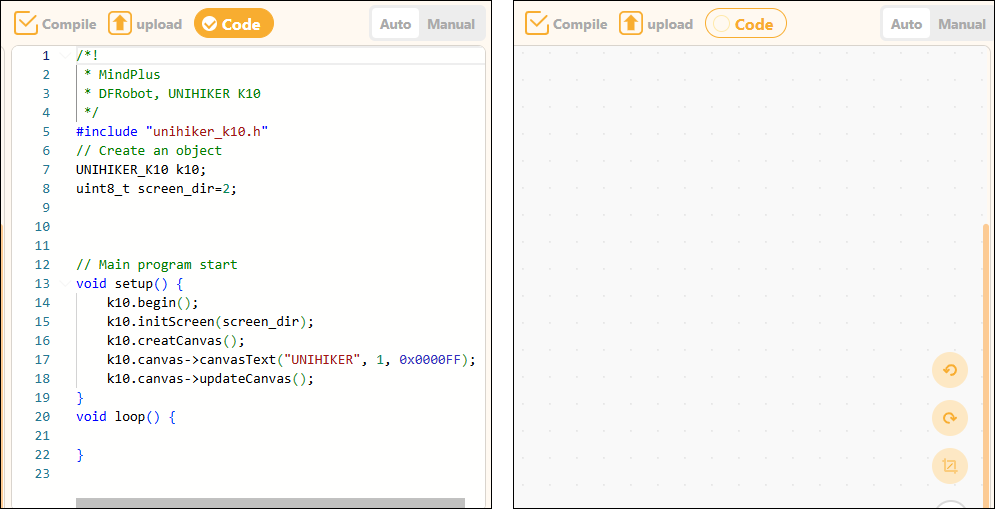
At the top of the code display area, there is a checkbox for the code section. Checking it displays the code, while unchecking it hides the code.
Frequently Asked Questions
Click to view FAQ