3.1.3.1 Motion
Motion-related blocks are primarily used to control a character's movement and rotation—such as moving forward, changing coordinates, or rotating by a certain angle—to create dynamic effects on the stage.
| Blocks | Note |
|---|---|
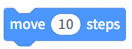 | The character moves the specified number of steps to the right. |
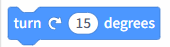 | The character turns to the right by the specified angle. |
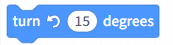 | The character turns left by the specified angle. |
 | The character moves to a random location or to the position of the mouse pointer. |
 | The character moves to the specified coordinates. |
 | The character glides to a random location or the mouse pointer's position within a specified time. |
 | The character glides to the specified coordinates within the designated time. |
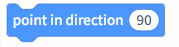 | The character is facing a specified direction. |
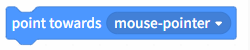 | The character faces the direction of the mouse pointer. |
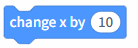 | Increase the character's x-coordinate by the specified value. |
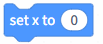 | Set the character's x-coordinate to the specified value. |
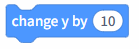 | Increase the character's y-coordinate by the specified value. |
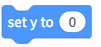 | Set the character's y-coordinate to the specified value. |
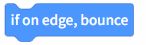 | When a character reaches the edge of the stage, it changes direction and moves in the opposite direction. |
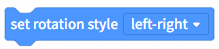 | Set the character's rotation to mirrored, locked, or free. Note that adjusting this setting will change the character's movement direction. |
 | Get the x-coordinate of the current character; check this box to display it on the stage. |
 | Get the y-coordinate of the current character; check this box to display it on the stage. |
 | Get the current character's orientation; check this box to display it on the stage. |