3.4.3.1 Control
Control statements can be broadly categorized into four types based on their structure and usage logic: while loops, for loops, conditional structures, and exception-handling structures.
Loop Control
Used to repeat a section of code.
| Blocks | Note |
|---|---|
 | Loop indefinitely, repeating all the code within the module. |
 | Execution will not continue until the condition is true. |
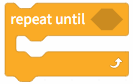 | Execute the program within the module until the condition is true, at which point the loop terminates. |
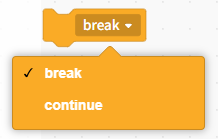 | Loop Break Conditions: Select "Break from Loop": Exits the loop entirely and executes the statements following the loop body. Select "Continue to Next Iteration": Exits the current iteration and proceeds to the next one. Note: This instruction must be used within a loop. |
 | When the program reaches this point, it will wait for 1 second before continuing with the rest of the code. |
for loop
Used for looping by count or by set.
| Blocks | Note |
|---|---|
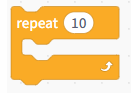 | Set the number of iterations to 10. |
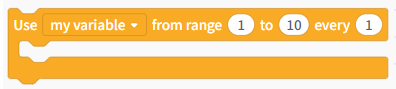 | Loop through a custom range from 1 to 10, with a step size of 1. |
 | Iterate through the loop and list each element in the list. |
Conditional Statements
Conditional Statements
| Blocks | Note |
|---|---|
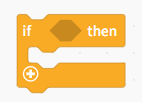 | A single-branch conditional statement executes the code in the loop body if the condition is true. |
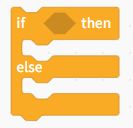 | A two-way conditional statement: if the condition is true, execute Program 1; otherwise, execute Program 2. |
Exception Handling Structures
Errors that may occur in the user capture program, thereby enhancing program stability.
| Blocks | Note |
|---|---|
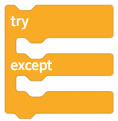 | An exception-handling statement that, when an error occurs during the execution of the code within the try block, interrupts that execution and executes the code within the except block. |
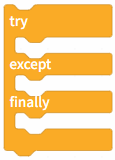 | An exception handling statement: when an error occurs during the execution of the code within the try block, the execution of that code is interrupted and the code within the except block is executed; however, the code within the finally block is executed regardless of whether an exception occurs. |